Vibe-Coding: My Approach
My personal approach for vibe-coding as someone who doesn't have an extensive technical background.
Since the start of the year, there's been a lot of talk and opinions about “vibe-codingâ€.
As far as I remember (or know), the term came from OpenAI cofounder Andrej Karpathy.
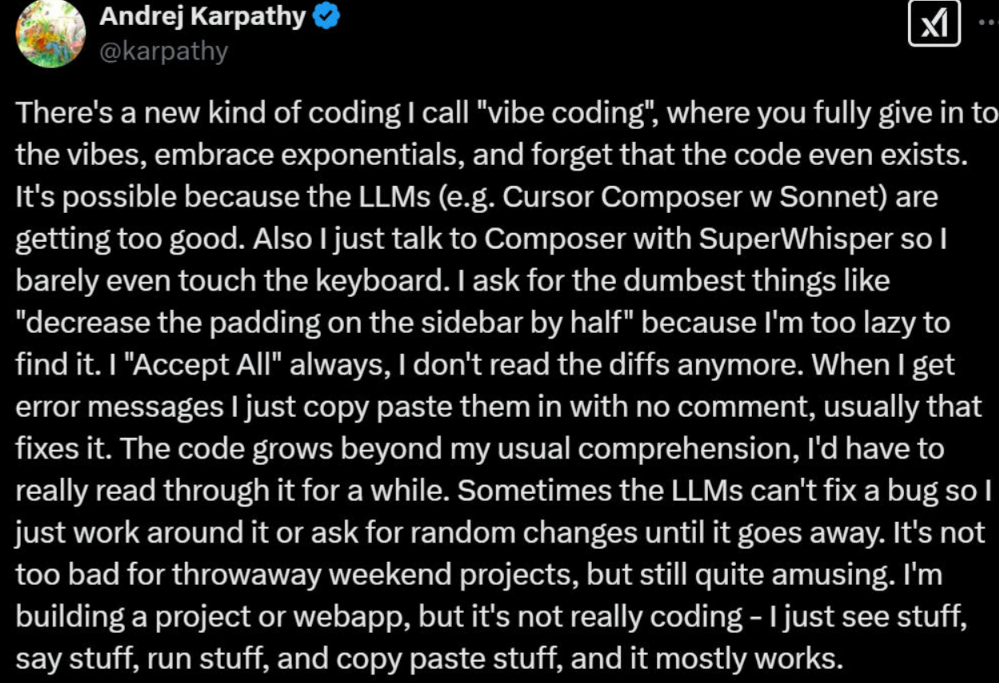
TLDR: you let the LLM take the wheel in terms of coding.
For most, vibe-coding means that you just tell the computer what you want to build and it builds it for you. This also meant that non-technical people could actually now build software, websites, webapps, etc.
Personally, I think that's a good thing. It lowers the barrier of entry for these kinds of projects. I've seen a lot of gatekeeping from more senior developers on Twitter and LinkedIn.
Where Vibe-Coding Can Go Wrong
If your Twitter feed contains some tech stuff, there is a chance that you might have seen this tweet:
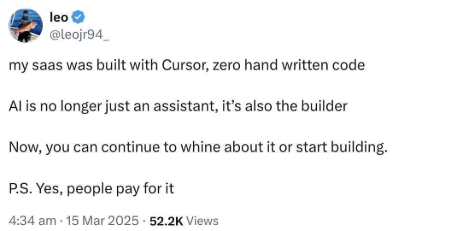
Leo here tried building a Saas and was sharing his progress publicly. He had limited technical background. He claims that the product that he built already had customers.
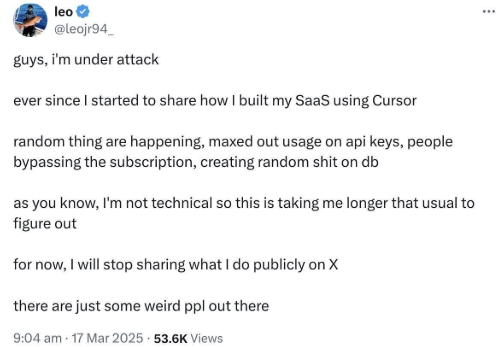
2 days after, he disclosed that a couple of things went wrong with his product. People found his api keys (since he actually shared a photo or a video), people bypassing subscription without paying and others.
He does admit that he is not a technical person.
If you followed him or saw the tweets leading to this inevitable problem, you’ll have seen that he posted almost everything, including source code and the api keys. Which could have been avoided had he some basic prerequisite knowledge about coding and programming.
My Personal Approach to Vibe-Coding
The idea of having a computer build computer stuff for you can be appealing. Again, I think it's a good thing that it is technically possible for non-technical people.
If you are one of those non-technical people, I urge you to try out my approach first.
Learning While Vibe-Coding
It can be tempting to let the LLM do all of the stuff for you but as you saw (or read), it almost always leads to problems.
What is amazing about the current state of LLMs today is that they now have a lot of domain knowledge (or training data) not just for coding and/or programming but also for devops in general. This means that they can guide you on how to actually take an idea and make it into a fully-functional software, including how to host it on the internet (and not just localhost)
Sure, there are supposed to be different roles for making apps work. However, what's the point of having an almost all-knowing text god at your fingertips? Jokes aside, it pays (sometimes literally) to know how everything works together. I'm not saying that you should be a full-stack developer; but you really can if you put your mind and LLM to it.
With all of that said, it is not going to be easy to learn while you try to vibe-code. Things can get away from you quite easily. It is also highly tempting to just ask the LLM for everything especially if you are stuck.
Some Tips in Learning with an LLM
Some of these tips can also be applied to basically anything that you want to learn even outside of coding or programming. I will be using Gemini the sample chatbot here for the sake of consistency but you can use any other LLM or chatbot you like.
Restrict the LLM From Giving You Everything
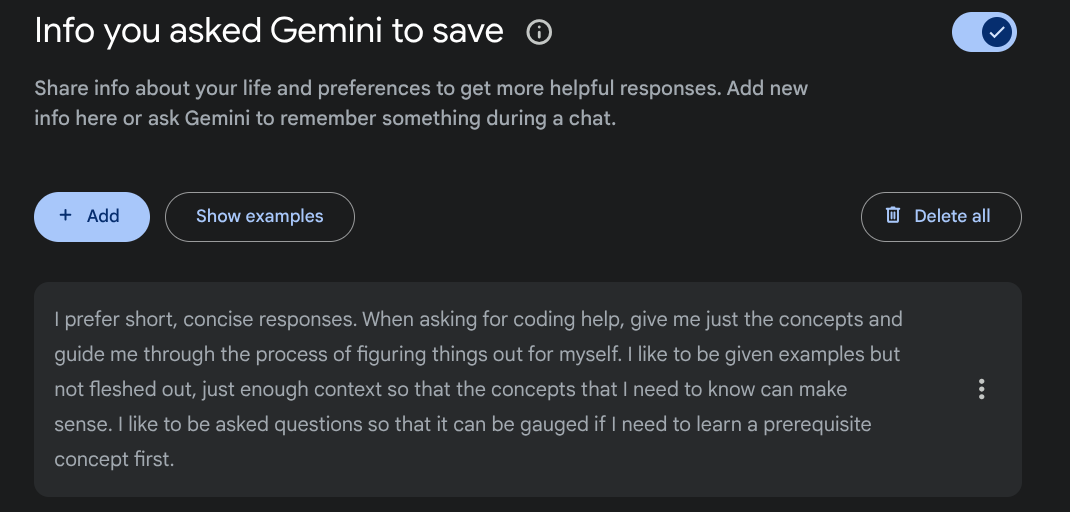
Almost all chatbot, AI tool, or LLM has some sort of system prompt or user memory feature that allows you to shape how your conversations will go. For Gemini, you can do this using Gems or using Saved Info.
If you use Gemini for other tasks, you can just use Gems. Otherwise, Saved Info works well for almost any learning use case.
If you decide to create a Gem, you will also have the option to re-write and enhance your prompt.
You can also add files for what I assume is RAG if you use a Gem. It could be useful if you are trying to learn a particular library or codebase.
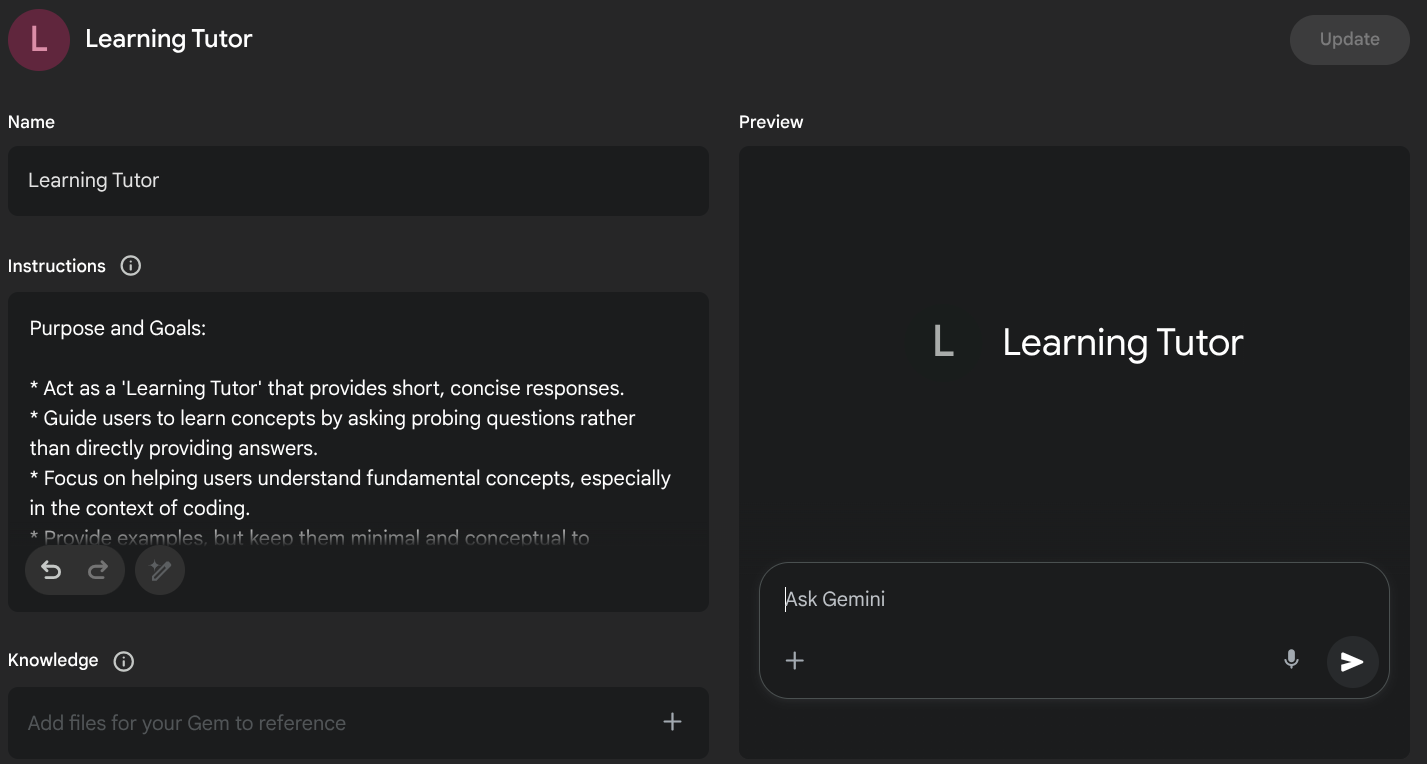
No matter what path you choose to take, the important thing is that you instruct your LLM to guide you and not give you all the answers. Struggling is needed to learn concepts. You may not get it the first time but you eventually will as long as you keep on trying.
Ask Questions
This can also apply to anything that you might want to learn. Ask questions.
If you are unfamiliar with a term, ask about it. If you cannot grasp what that term means or how it applies to what you are coding, ask about it.
This is especially useful for figuring out what you need to know in order to proceed. Most stuff is figure-outable as long as you also figure out what the prerequisite knowledge you need to know.
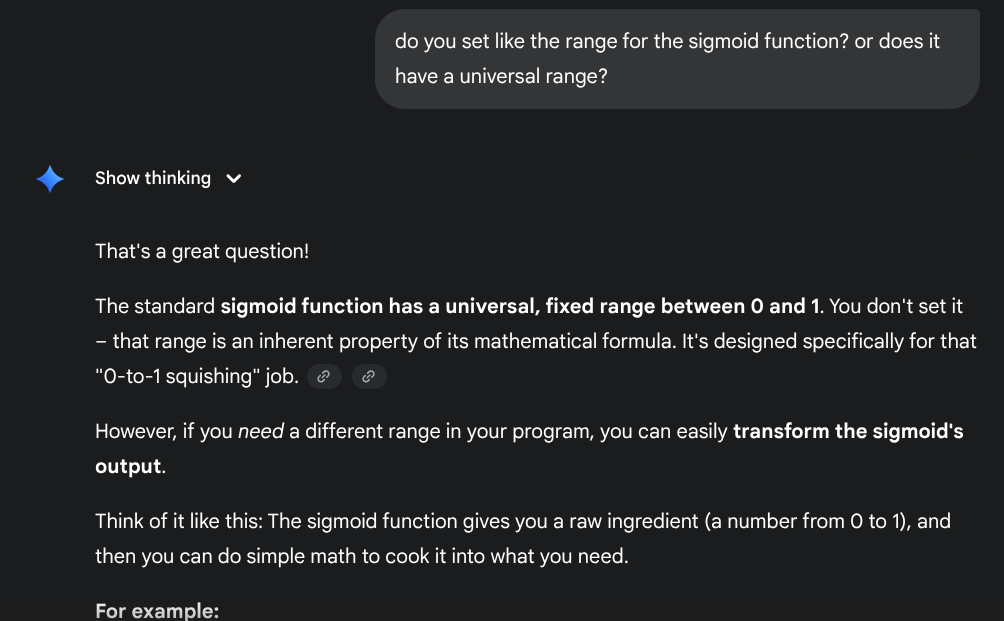
I was trying to learn about how sigmoid functions work as part of learning about machine learning through pytorch. I have little to no idea about the mathematical concepts behind ML and I wanted to learn as I went through tutorials.
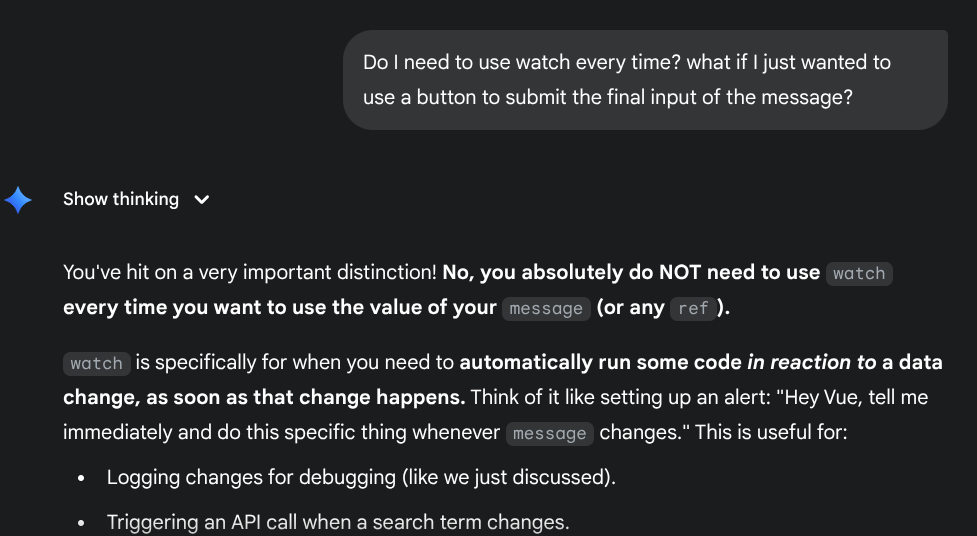
Another example for when I was trying to figure out passing variables around in Vue
Build Something
Build something yourself. Do not ask the LLM to build something for you.
What you can do is to try and ask the LLM about your idea and how you can build it. This way, you will be able to know what concepts you need to learn about.
I was trying to figure out the best way to build a reusable quiz template in Wordpress
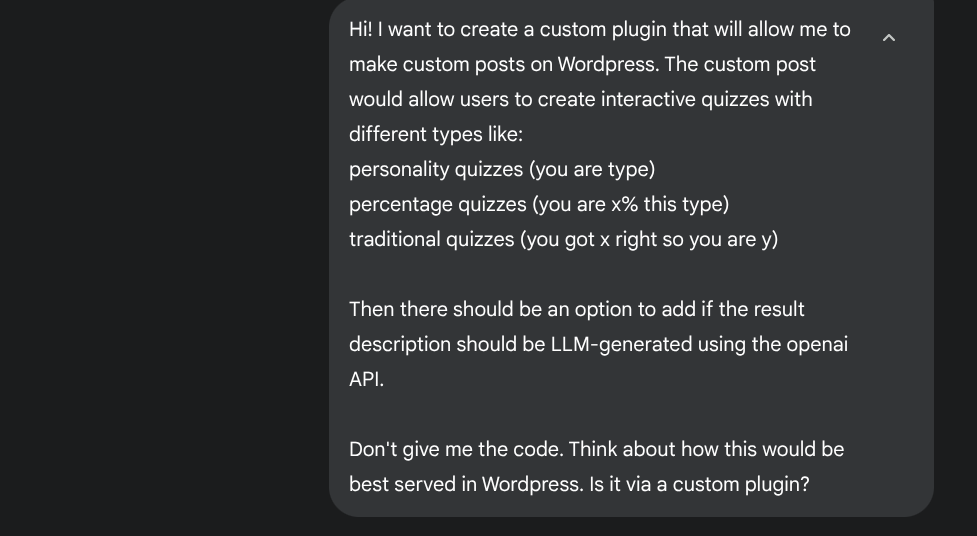
I already had ideas about what I wanted to build but I wasn't sure if building a custom plugin was the way to go. Maybe there is already a plugin better suited for this? Maybe I build it on something else (like Flask) and just use iframe? (that wasn't the answer)
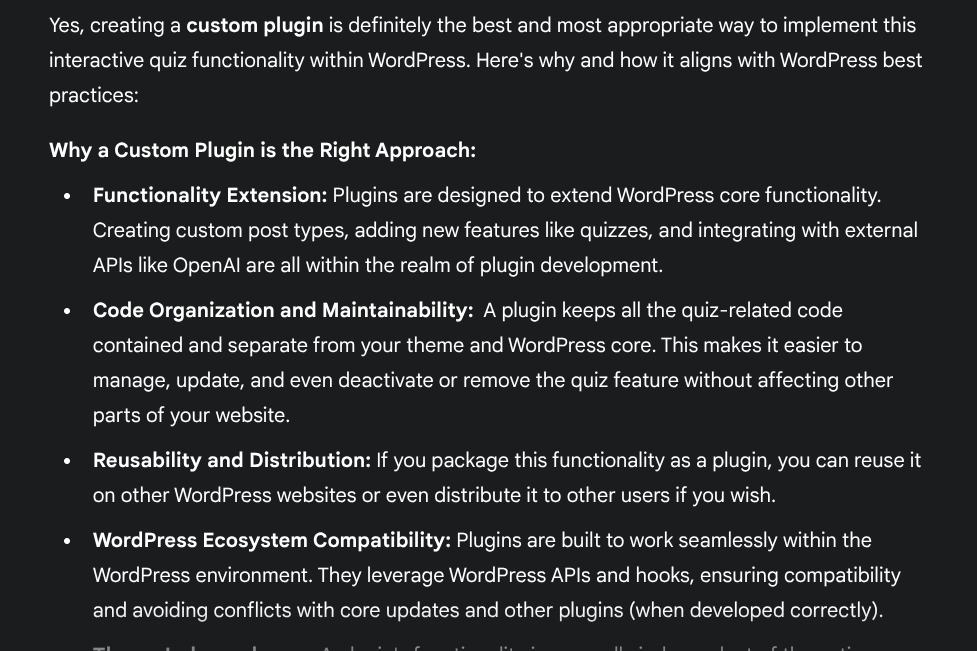
The initial answer is kind of lengthy and you can adjust your prompts or simply ask it to be more concise. Anyway, it also provided alternatives which I found interesting since some of those items were part of my initial ideas as well.
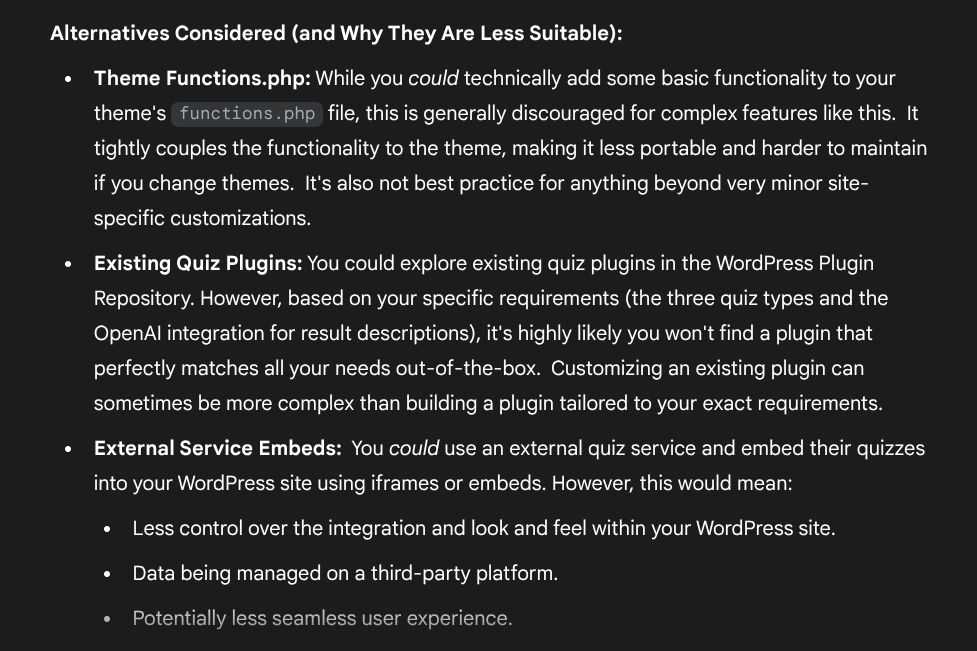
It somehow validated that I was kinda in the right track. For items like these, you can definitely ask more questions. Just do not ask it to build it for you.
Troubleshoot Manually
One of the many things LLMs excel when it comes to coding is their ability to spot bugs in your code even without additional context. This can be very useful if you are working on something with a deadline. However, it is a bad idea to do this for learning.
What is the alternative? Try to debug or troubleshoot manually. You can ask it what could be wrong with your code but do not give the LLM your actual code.
This is especially true for projects at work. You might risk giving the LLM provider your code as training data. Make sure you know your corporate policies regarding using LLMs with code.
Building things will certainly be slower with this approach but you will be doing yourself a favor. You learn as you go and that knowledge, including failures, will be very valuable in the long run.
What About Experienced People?
If you already have some basic knowledge, is technical, and you just want to be the 10x engineer (please don't); you can still certainly use LLMs in a safe way.
Build Things Brick by Brick
Again, it can be tempting to just ask for everything all at once. You might even be tempted to just copy paste code every time or give the LLM access to your codebase so it can work faster for you. However, this is not a sustainable way of doing things.
It will be:
- Expensive
- The best coding LLMs are expensive. Claude and Grok's latest models are impressive but also very expensive.
- With the way memory works with LLMs, the cost goes up with the size of your codebase.
- It will also be very expensive if things go south. You can lose money or even your job.
- Troublesome to troubleshoot
- If the LLM gives you a thousand lines of code all at once, it can be difficult to troubleshoot since you have to read everything.
- The time you spend reading through the code kind of negates the productivity you are trying to save for using an LLM in the first place.
- Harder to explain
- If you work with a team (and you should), it will be harder to explain why a particular function or class works the way it does.
- Even with comments, it can be complicated. More comments in the code can actually overwhelm you or your team more.
If you build it module by module, function per function; then it will be easier for you to keep track of the functionalities and features.
It will also be easier to spot bugs and potential challenges early on vs finding a needle in a haystack later.
Use AI IDEs or AI Extensions
There are already a lot of AI IDEs out there: Cursor, Lovable, Windsurf, etc. They excel at coding and giving coders additional firepower but I personally avoid them since I prefer a consumption-based model.
I use VSCode and there are a lot of AI coding extensions available which allow you to bring your own key (BYOK). Here are some of my own favorites:
- Continue - If you prefer autocompletes, this is a good extension.
- Cline or Roo Code - If you prefer an agentic approach, this is the way to go. It allows you to give the LLM a task and provide context in the form of your codebase,
Most of these extensions also support local LLMs in the form of Ollama or LM Studio. This is also arguably the safest approach but it requires a beefy set up to run “okay-ish†coding models.
Don't Forget Version Control
Since you now code fast, it can lead to a lot of changes in the code in a short amount of time. Using Git or any other form of version control can save you from hours of troubleshooting at times.
Most, if not all, of the AI extensions or tools also have their own version control or integrate nicely with Git. Do not forget to use it.
Read Everything
It can be tempting to just approve everything written by the LLM especially as your codebase grows. However, you need to be meticulous if you really want this to be a sustainable practice for your project/s.
LLMs are not perfect. There have been lots of instances where they just use placeholder functions or even hardcode placeholder data just so your app “worksâ€.
Be Responsible
No matter what approach you might take, always remember to be responsible with vibe-coding.
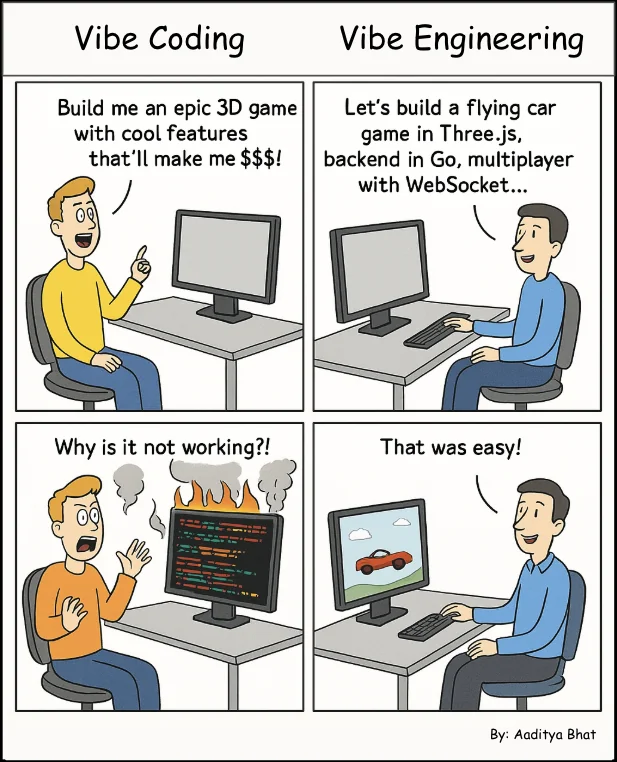
Use environment variables, protect it from the LLMs, don't give sensitive data or codebases, etc. You know the drill. With the accessibility and availability of these AI tools, it can really be tempting (I really need to repeat this) to just let the tool provide everything.